


Digital Key Connect - Car Key
4.524.00 Reviews
App Specs
- Version
- 1.0.11
- Updated On
- License
- Free
- Downloads
- 10,000+
- Developer
- Smart Remote Application
- Categories
- Auto & Vehicles
- Platform
- Android
Screenshots
 Analysis by AppCompare
Choosing a digital car-key app comes down to a practical question: does it work with the vehicle you actually drive, and does it make access easier without creating a new problem when your phone is unavailable? That is the lens I’d use for Digital Key Connect - Car Key. It sits in the auto-and-vehicles category and is aimed at people who want to manage car access from a phone rather than reach for a separate fob. I would treat compatibility and the exact functions available for your car as the first things to check, not assume that every vehicle can use every option.
Start with the car, not the download
The most useful first step is to identify your vehicle’s make, model, and year, then check whether the app can connect to it before relying on the phone as your only way in. A digital-key tool is only as helpful as the connection it can establish with a particular car. This matters especially if you are considering the app for a second-hand vehicle, a shared family car, or a model whose equipment differs between trims. I would keep the physical key available until I had tested the setup and ordinary use several times.
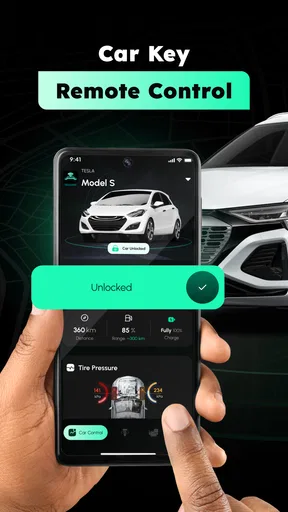
It is also worth separating the idea of “car key” from a promise that every key-related action is available. The app’s store summary focuses on connecting to a car and locking or unlocking its doors. Those are the core functions to evaluate. Before planning around remote starting, location tracking, guest access, or customized permissions, I would confirm that the app and the specific vehicle support them. That small check can prevent a big mismatch between what someone expects and what their car can actually do.
Where a phone-based key can earn its place
The strongest case for this kind of app is convenience during ordinary transitions: walking up to the car with your hands full, getting a passenger settled, or putting away a fob you tend to misplace. Digital access can also feel simpler when you already carry your phone everywhere. The benefit is not that a phone magically removes every step; it is that the key can be part of the device you are already reaching for.
A realistic example is a rainy grocery run. You arrive with bags, unlock the car from your phone, load the shopping, and lock the doors without fishing through a coat pocket for a fob. For a driver who regularly juggles children’s bags, work items, or shopping, that is a tangible convenience rather than a flashy trick. I would still make a quick habit of checking that the doors have locked before walking away, especially while learning how the app behaves with the vehicle.
There is a less obvious benefit to testing the app in a predictable routine before using it in a hurry. Try it at home or in a familiar parking spot, with the physical key close by. That gives you a chance to learn where the lock controls are, notice how the phone and car respond, and work out what to do if the connection takes longer than expected. A few calm practice runs are more valuable than discovering the workflow in a crowded lot with your hands full.
When a different option makes more sense
The usual alternatives are straightforward: keep using the car’s physical key, or use a digital-key feature already supported by the vehicle’s manufacturer. A physical fob remains the simpler choice if you want a dedicated control that does not depend on opening an app or keeping your phone available. A manufacturer’s own option may be preferable when it is built for your vehicle and offers a clear setup path. I would compare those routes based on your car and habits, rather than assume an independent app is automatically better.
Worth Reading Before You Choose

Baby Panda World Brings Quick Play to Modern Phones, but Its Game Library Feels Busy

ESPN’s Live Game View Makes Following Close Games Easier

QuizzLand Review: A Good Fit for Short Trivia Breaks, Not Every Player

Basketball Stars: Multiplayer Is Fast, but Can It Recover When Matches Go Wrong?

WEBTOON Turns Phone Updates Into a Better Reading Routine

Link to Windows Runs on Shared Habits, Not Social Feeds
This app may not be the right fit if your vehicle cannot connect to it, if you are uncomfortable depending on a phone for access, or if you need a specific capability that you have not confirmed is available. It is also a poor replacement for a working spare key until you know what happens when your phone battery is low, the phone is left behind, or connectivity is unreliable. Those are not reasons to dismiss digital access; they are reasons to keep a backup and choose the method that remains dependable in your own routine.
There is a small but important trade-off in switching: you may save time at the door, but you also add an app-based step to your car routine. I would not discard the fob immediately. First, test locking and unlocking in the places you actually park, including a home driveway or garage and a busy public lot. Then decide whether the app feels dependable enough to become your everyday option or whether it is better kept as a useful extra.
Your Smartphone, Your Car Key
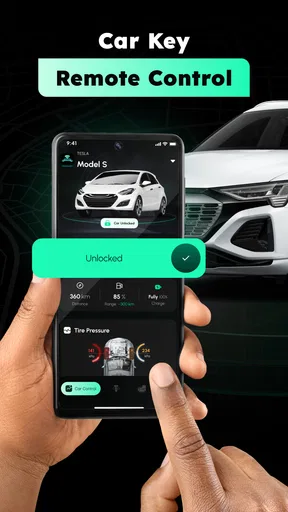
First things first—what is Digital Key Connect - Car Key? Think of it as your magic wand that turns your smartphone into a car key. Pretty neat, huh? No more jingling keys or the dreaded bottom-of-the-bag search. This app essentially uses your phone’s Bluetooth to connect with your car, so you can lock, unlock, and even start your engine without ever touching a traditional key.
Setup: A Walk in the Park
Now, I’m not the techiest person around, but setting this thing up was a breeze. The app guides you through a simple pairing process with your car. All you need is to ensure your car is compatible—most modern models are, but it’s always good to double-check. Once you’re hooked up, you can ditch the keychain for good.
Features That Stand Out
Let’s talk features. Beyond the basic lock and unlock, Digital Key Connect - Car Key offers some seriously cool options. How about remote start on a chilly morning? Or setting up a guest key for a friend without giving them a physical key? You can customize access levels, which is super handy. I’ve tried the remote start feature, and it works like a charm—my car was toasty warm by the time I stepped outside.
Safety is another biggie. The app uses encryption to keep your car’s digital key secure, so you can rest easy knowing your ride is protected. Plus, if your phone gets lost, you can quickly disable the digital key—no locksmith needed.
Daily Use and Experience
Using the app daily, I noticed how seamlessly it integrates into my routine. It’s intuitive, with a clean interface that even my tech-averse mom could navigate. The app is responsive, too—no lagging or connectivity issues in my experience, which is crucial for something you’ll rely on every day.
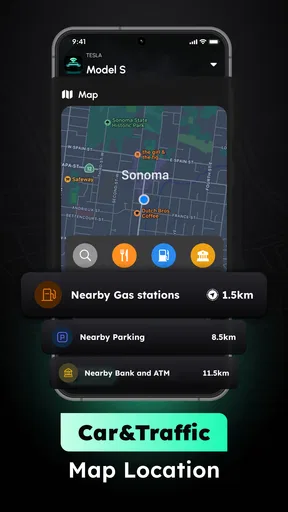
One of my favorite parts? The app's ability to track your car’s location. Ever forgotten where you parked in a massive lot? Not anymore. A quick look at the app, and you’re good to go.
Final Thoughts
So, is Digital Key Connect - Car Key worth it? If you’re someone who loves convenience and wants to embrace the digital age (while impressing friends with your high-tech setup), I’d say give it a shot. It’s more than just a novelty—it’s a genuinely useful tool that makes life a little easier. Sure, it might not replace the satisfaction of jingling keys entirely, but it’s a step towards a smarter, more connected future.
Ready to make your life a bit easier? You can find Digital Key Connect - Car Key in the app store, so go ahead and give it a whirl. Your pockets will thank you.
Before making it your everyday key
As an app in Auto & Vehicles from Smart Remote Application, it has a focused purpose: bringing car access into a phone workflow. Its average rating is 4.5 from around 500 ratings, and it has over 10,000 installs. That suggests a meaningful group of drivers has tried it, though popularity alone cannot tell you whether it will suit your particular vehicle. The app is free to install, is rated for everyone, and its current version is 1.0.11; optional in-app purchases range from $8.49 to $49.99 per item. I would check what any paid option actually unlocks before spending, and start with the free experience if it covers the task you need.
For a household with more than one driver, the practical question is not only whether one person can open the car, but how access is handled across the people who use it. I would test the intended arrangement before handing over a phone-based key or changing the family’s usual routine. If each person has their own device, make sure everyone knows the backup plan and who is responsible for keeping the physical key accessible. That is a more useful test than trying the app once while parked at home.
For occasional borrowing, I would be especially cautious about treating a digital key as a substitute for a spare. Someone borrowing the car may not want to install an app or troubleshoot pairing, and a driver who is unfamiliar with the setup can be left waiting at the worst time. If lending the vehicle is rare, handing over the normal key may be less hassle. If sharing is frequent, test the exact access process first and make sure both drivers understand how to return to the standard key if needed.
Small habits that make the switch smoother
I would build a simple routine around the app rather than trusting memory. Keep the phone charged before a drive, confirm access before leaving home, and carry the regular key while you are still learning the setup. If you park in a large lot, note a nearby row or landmark as well as relying on any app-based location feature; familiar visual cues are a useful fallback if you are distracted or the phone is unavailable. These habits take little effort and avoid making one digital tool responsible for every part of the trip.
Another useful test is to consider the awkward moments, not just the ideal one: arriving in a hurry, sharing the car, or returning to it after a long day. Does the app make the action clear when you are tired, or do you need to stop and think through the steps? I judge access tools by how well they work under mild pressure, because that is when a small interface delay or an unclear control becomes frustrating. A quick test in those conditions can tell you more than a polished first impression.
Compatibility is the deciding factor, but expectations matter just as much. The name and broad idea may suggest a complete replacement for a conventional key; I would instead evaluate the functions that are actually available for my car and treat any extra capability as a bonus only after confirming it. That keeps the decision grounded in what you can use, rather than in features you may have seen associated with other vehicles or digital-key systems.
Who I would recommend it to
I would consider it if I owned a compatible car, already relied on my phone throughout the day, and wanted a convenient way to lock or unlock without searching for a separate fob. It is particularly appealing as a secondary access method for a driver who likes trying practical phone tools but is comfortable keeping a backup. If the setup works reliably in the places you drive and park, the everyday value is easy to understand: fewer moments spent looking for the key.
I would skip it, or at least delay switching, if I needed a guaranteed phone-independent way to get into the car, if I frequently lend the vehicle to people who do not want to use an app, or if my particular car does not pair as expected. Drivers who already have a manufacturer-supported digital key that meets their needs may have little reason to add another route. In that case, the simplest choice is the one that fits the car and requires the least explanation for everyone who uses it.
The app is available for devices running Android 7.0 or later, so older Android phones below that requirement are not suitable for installing it. For anyone using a supported device, my advice is still to treat the first few drives as a trial: pair carefully, test the doors, keep the fob close, and decide only after the workflow feels natural. Convenience is worthwhile when it reduces friction without leaving you stranded if the phone is out of reach.
My recommendation is therefore a conditional yes: try it if your car is compatible and you are looking for phone-based access, but keep a physical key until the app has earned a place in your routine. Digital access can be genuinely handy, yet it should complement a dependable backup rather than make you assume every car and every situation will behave the same way. That is the sensible balance for a tool whose usefulness depends on both your phone and your vehicle.
Pros
- Easy setup with user-friendly interface.
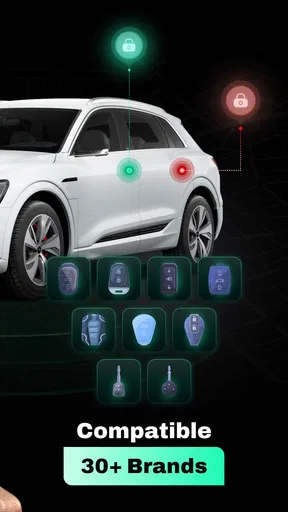
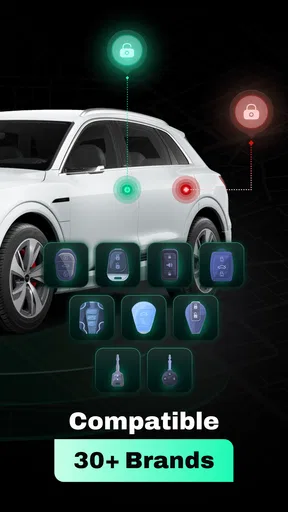
- Compatible with multiple car brands.
- Secure encryption for added safety.
- Supports remote start and lock features.
- No need for physical keys anymore.
Cons
- Requires constant internet connection.
- Limited functionality on older car models.
- Battery drain concerns on frequent use.
- Subscription needed for premium features.
- Might face occasional connectivity issues.
FAQs for Digital Key Connect - Car Key
What is Digital Key Connect - Car Key, and how does it work?
Digital Key Connect - Car Key is an app that allows users to unlock, lock, and start their cars using their smartphone. The app connects to compatible vehicles via Bluetooth or NFC technology. Once set up, your phone acts as a digital key, providing a seamless and secure way to access your vehicle without needing a physical key.
Is Digital Key Connect - Car Key compatible with all car models?
No, Digital Key Connect - Car Key is not compatible with all car models. It works with select models from manufacturers that support digital key technology. Users should check the app's compatibility list or consult their car's manufacturer to ensure their vehicle supports this feature before downloading the app.
How secure is the Digital Key Connect - Car Key app?
The app employs advanced encryption and security measures to protect your vehicle access. It uses secure communication protocols to prevent unauthorized access. Additionally, users can set up multi-factor authentication for added security. It's recommended to keep your app and smartphone updated to ensure the highest level of security.
Can multiple users access the same car using Digital Key Connect - Car Key?
Yes, the app allows multiple users to access the same car, provided each has permission. The primary user can share digital keys with family or friends by sending invitations through the app. Each user must download the app and accept the invitation to gain access. This feature is useful for families or shared vehicles.
What should I do if I lose my phone with the app installed?
If you lose your phone, it's crucial to act quickly to secure your car access. Use another device to log into your account online and remotely disable the digital key. You may also want to contact customer support for assistance. Always have a backup plan, such as a physical key, to avoid being locked out of your vehicle.


